
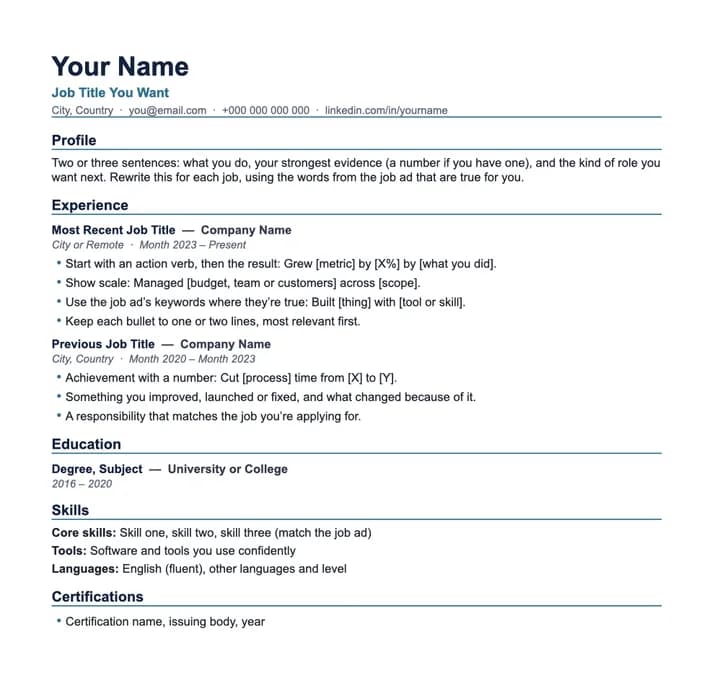
Modern CV template
Best for: Most roles, especially tech, data, product and marketing.
Clean sans-serif layout with a blue accent rule under your name and each section.
Free download
Four ATS-friendly CV (or résumé) templates with simple, one-column layouts that recruiters and CV-scanning software can read. No sign-up. Each one includes tips in the placeholder text on what to write.
Best for: Most roles, especially tech, data, product and marketing.
Clean sans-serif layout with a blue accent rule under your name and each section.
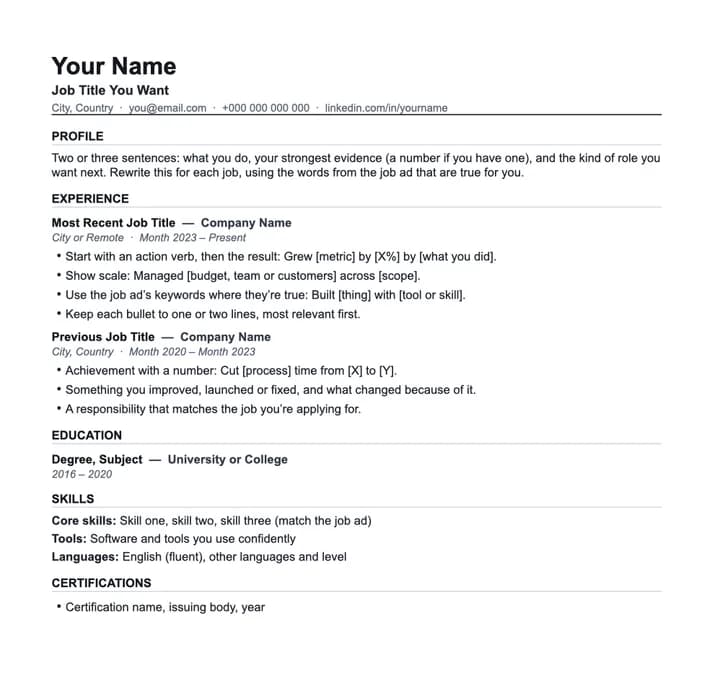
Best for: Graduates, finance, admin and any application where plain is safest.
Black and grey only, capitalised section headings and nothing that could distract.
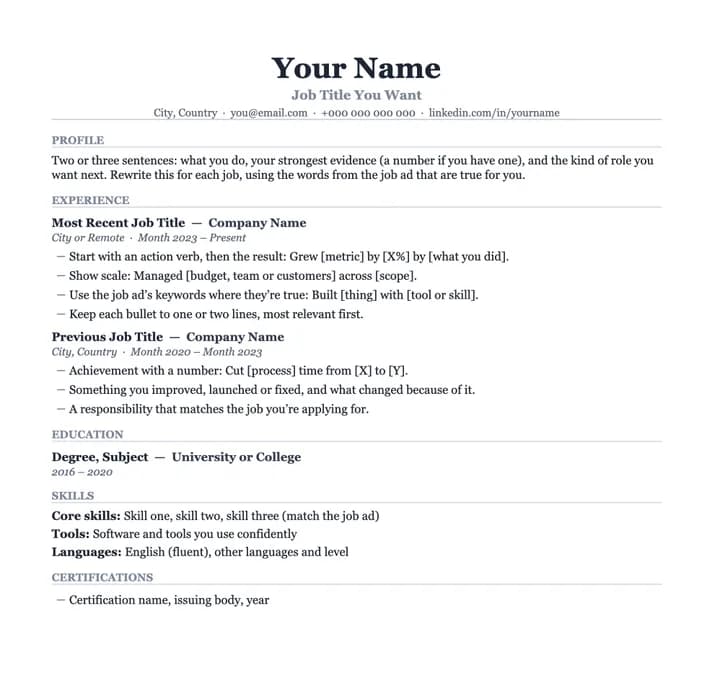
Best for: Senior and management roles, consulting, finance and law.
Centred serif header (Georgia) with quiet grey headings for a classic, formal look.
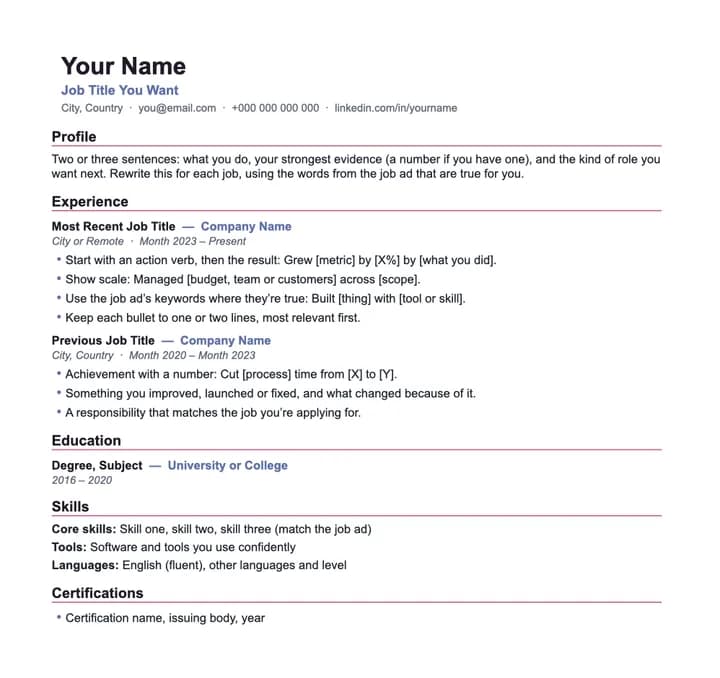
Best for: Design, marketing, media and early-stage start-ups.
A touch of colour in the headings and company names, still in a single readable column.
Open the downloaded file, replace the text in [brackets], then save as PDF (File → Save As → PDF).
Go to Google Drive → New → File upload, then open the file with Google Docs. Download as PDF when you’re done.
Double-click the file or open it from Pages. Export as PDF (File → Export To → PDF).
Send your CV as a PDF unless the employer asks for Word, and name the file clearly, for example “Amara-Mensah-CV.pdf”. Then check it against the job with the free CV keyword checker.
Yes. Download as many as you like, with no sign-up and no watermark. They’re Word (.docx) files you can edit in Word, Google Docs or Pages.
No template can guarantee that, because every company sets up its applicant tracking system (ATS) differently. These are built the way ATS software reads best: one column, no tables, text boxes or images, contact details in the main text, and standard section headings. What you write matters most, so use the job ad’s keywords where they’re true for you.
In Word, go to Layout → Size → Letter. In Google Docs, go to File → Page setup → Paper size → Letter. The layout adjusts automatically.
In the UK, US, Canada, Ireland and Australia, leave it off: many employers prefer CVs without photos. In some countries a photo is still common. If you add one, keep all important text out of images, because ATS software can’t read them.
In most of the world they mean the same thing: a one- to two-page summary of your experience for a job application. In the US and Canada it’s usually called a résumé, and “CV” means a longer academic document.
Yes. Upload your current CV, add the job you want, and Litjob rewrites your CV for that role using your real experience, in the same template styles, with a matching cover letter. Your first tailored application is free.